Yakima SKS Lock Cores 2 Pack
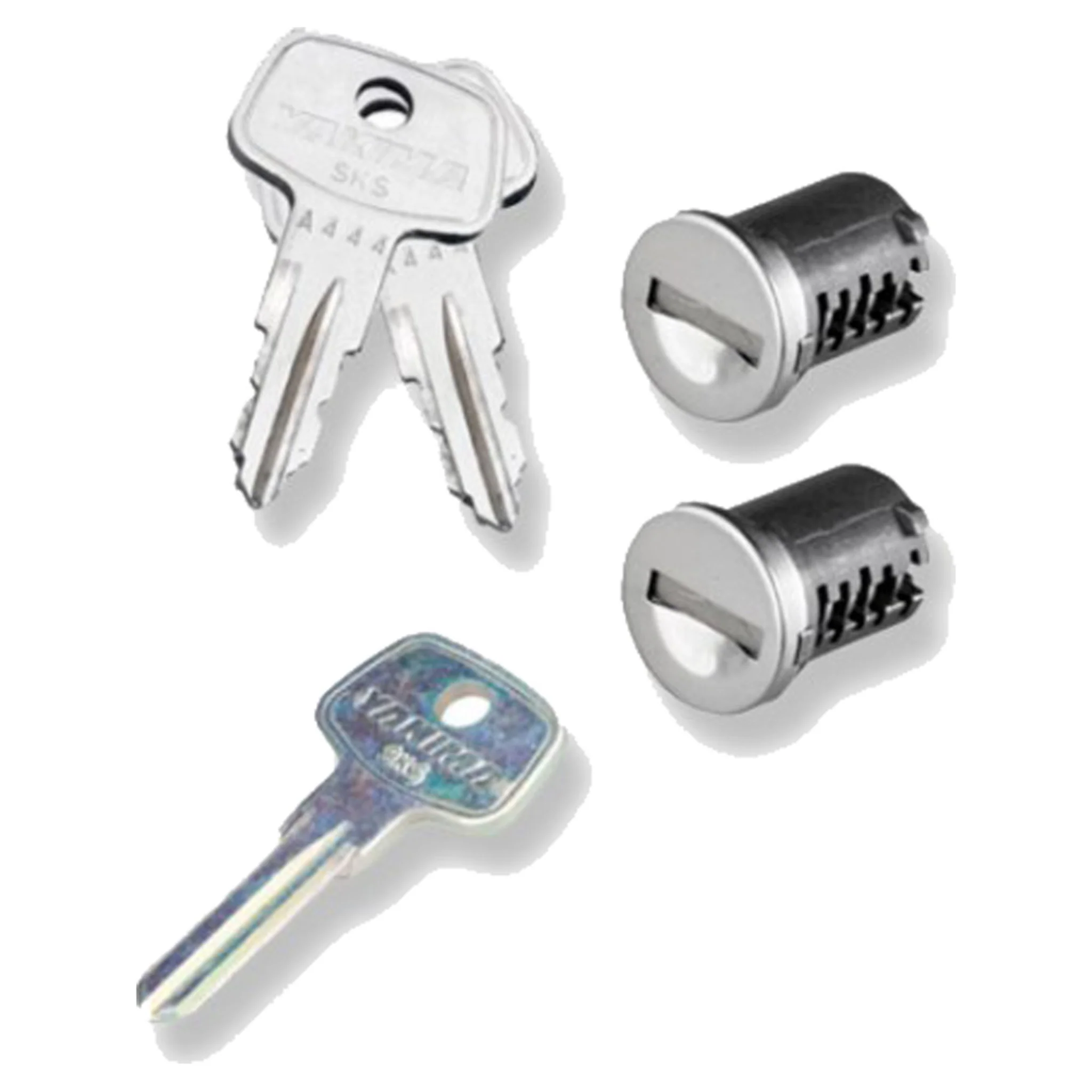
Adventure enthusiasts feel relieved with the security, and convenience of Yakima’s SKS Lock Cores 2 Pack. Now you only need one key to rule all of your racks, instead of trying to remember which key goes with which locking rack. The SKS (Same Key System) Lock Cores 2 Pack provides consumers with two cores, two matching keys, plus a control key. Folks can be assured their core and key match, because each comes with a core number printed on the side of the core, and printed on the head of the key. The control key is designed to install and remove Yakima cores from any lockable rack. Once your SKS Lock Cores 2 Pack arrives, use the control key to remove the unlocked core you plan on replacing. The best way to remove a core using the control key is by wiggling the unit up and down, until the core slowly comes out of the housing. To install your new core, put the control key into said new core, then slide this core into the housing of your rack. Make sure all male and female pieces are aligned. Using a finger, hold in the core while removing the control key. Always double check you did everything right by locking your core with the corresponding key. Yakima’s SKS Lock Cores 2 Pack obviously provides two cores; but you don’t have to be limited to just two. Yakima provides the SKS Lock Cores in 4, 6, and 8 packs to purchase as well. Now you have the ability to have one key for every Yakima lockable rack you own.
Adventure enthusiasts feel relieved with the security, and convenience of Yakima’s SKS Lock Cores 2 Pack. Now you only need one key to rule all of your racks, instead of trying to remember which key goes with which locking rack. The SKS (Same Key System) Lock Cores 2 Pack provides consumers with two cores, two matching keys, plus a control key. Folks can be assured their core and key match, because each comes with a core number printed on the side of the core, and printed on the head of the key. The control key is designed to install and remove Yakima cores from any lockable rack. Once your SKS Lock Cores 2 Pack arrives, use the control key to remove the unlocked core you plan on replacing. The best way to remove a core using the control key is by wiggling the unit up and down, until the core slowly comes out of the housing. To install your new core, put the control key into said new core, then slide this core into the housing of your rack. Make sure all male and female pieces are aligned. Using a finger, hold in the core while removing the control key. Always double check you did everything right by locking your core with the corresponding key. Yakima’s SKS Lock Cores 2 Pack obviously provides two cores; but you don’t have to be limited to just two. Yakima provides the SKS Lock Cores in 4, 6, and 8 packs to purchase as well. Now you have the ability to have one key for every Yakima lockable rack you own.
Original: $45.00
-65%$45.00
$15.75Description
Adventure enthusiasts feel relieved with the security, and convenience of Yakima’s SKS Lock Cores 2 Pack. Now you only need one key to rule all of your racks, instead of trying to remember which key goes with which locking rack. The SKS (Same Key System) Lock Cores 2 Pack provides consumers with two cores, two matching keys, plus a control key. Folks can be assured their core and key match, because each comes with a core number printed on the side of the core, and printed on the head of the key. The control key is designed to install and remove Yakima cores from any lockable rack. Once your SKS Lock Cores 2 Pack arrives, use the control key to remove the unlocked core you plan on replacing. The best way to remove a core using the control key is by wiggling the unit up and down, until the core slowly comes out of the housing. To install your new core, put the control key into said new core, then slide this core into the housing of your rack. Make sure all male and female pieces are aligned. Using a finger, hold in the core while removing the control key. Always double check you did everything right by locking your core with the corresponding key. Yakima’s SKS Lock Cores 2 Pack obviously provides two cores; but you don’t have to be limited to just two. Yakima provides the SKS Lock Cores in 4, 6, and 8 packs to purchase as well. Now you have the ability to have one key for every Yakima lockable rack you own.